
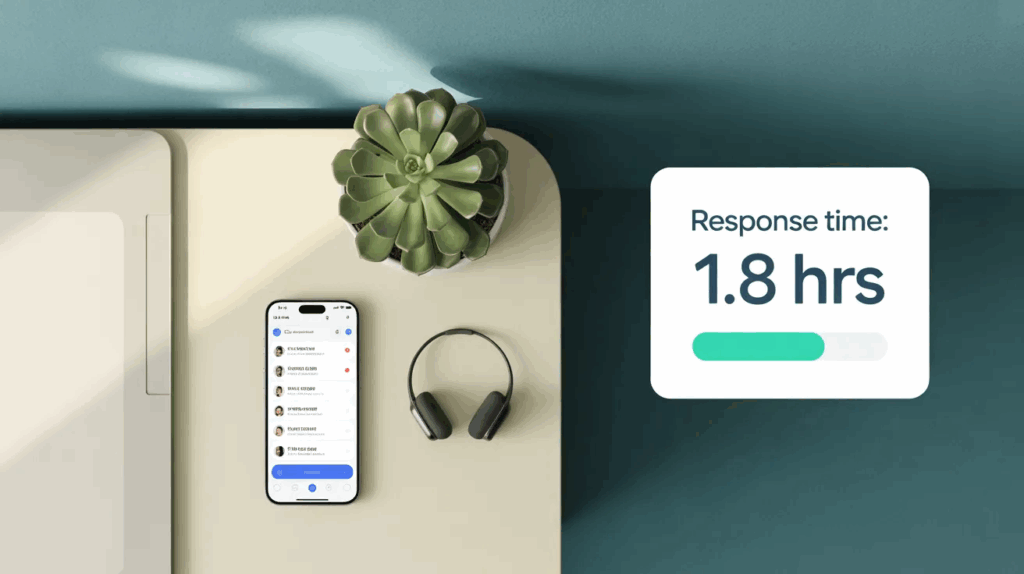
Here’s a number that should make every hospitality manager pause: 88% of customers expect a response within 60 minutes of reaching out. Most hospitality teams in Singapore are nowhere close.
Not because the staff don’t care. Because the workflows haven’t caught up.
This is the story of one team that changed that — without hiring extra headcount, without burning out their existing staff, and without overhauling everything at once. They just added AI to the right parts of the job.
The results were immediate. Within six weeks, guest response time dropped by 50%. Staff handled 40% more requests daily. And the feedback scores went up, not down.
Here’s what they did, how they did it, and what it means for your team.
The Problem: Speed Without Sacrificing Service
The team in question — a food and beverage operation attached to a mid-sized hotel in Singapore — was dealing with a problem that’s completely familiar to anyone in hospitality: volume.
Guest enquiries were coming in from multiple channels. WhatsApp. Email. The front desk. Online booking platforms. Each one needed a personalised, professional response. And each one was landing in the inbox of the same two or three staff members who were also managing on-floor service.
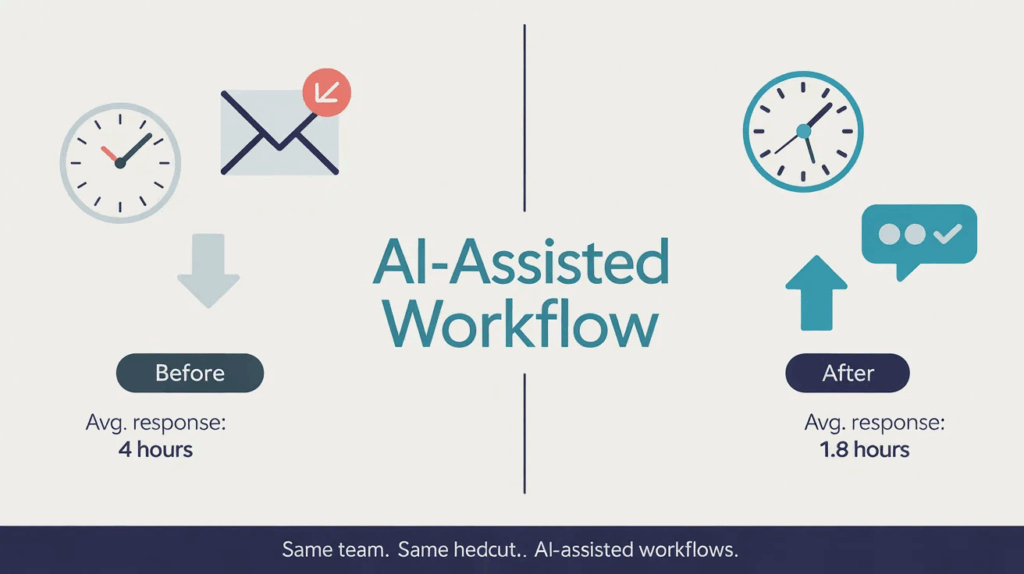
The result was a backlog that frustrated guests and exhausted staff. Average response time hovered around four hours. Some enquiries slipped through entirely.
The instinct was to hire another person. But the operations manager pushed back. “We don’t have a headcount problem,” she said. “We have a workflow problem.”
She was right. And that distinction matters — because the Singapore job market is tight, experienced hospitality staff are hard to find, and adding bodies doesn’t fix a broken system. It just gives a broken system more people to exhaust.
What Changed: Three AI Workflows That Moved the Needle
The team didn’t attempt a full digital transformation. That approach almost always fails — too much change, too fast, with too little staff buy-in.
Instead, they identified the three highest-volume, most repetitive tasks that were consuming staff time, and introduced AI tools at those specific points.
1. AI-Assisted Guest Messaging
The single biggest time drain was responding to enquiries that followed predictable patterns: reservation questions, F&B availability, dietary requests, parking queries.
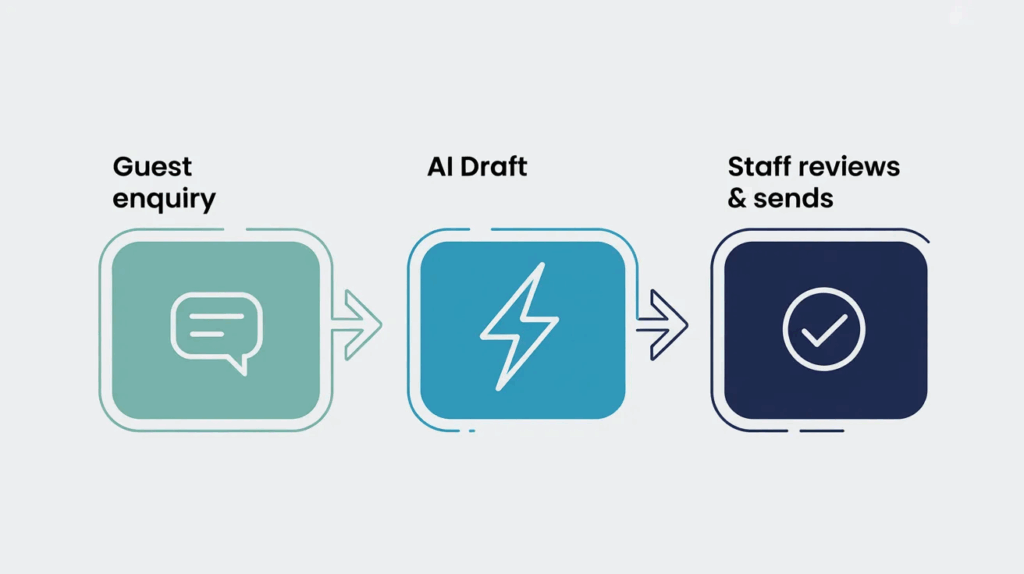
They implemented an AI drafting layer — staff would receive an enquiry, one click would generate a draft response pulling from the venue’s standard information, and the staff member would review, personalise if needed, and send. What used to take three to five minutes per message now took under sixty seconds.
The key here is assisted, not automated. The AI draft goes to a human before it goes to the guest. That distinction kept the response quality high and the staff in control.
2. AI Meeting Summaries and Handover Notes
Pre-shift handovers were eating 15–20 minutes every shift change. Staff had to write up what happened, what was pending, what needed follow-up — all from memory, all in real time.
They introduced an AI transcription and summary tool. Staff would give a two-minute voice note at the end of their shift. The tool transcribed it, structured it into a handover format, and flagged action items. The incoming shift had a full briefing ready before they even arrived.
This is a direct application of workflow automation — and it’s one of the most underused productivity levers in hospitality because people assume it requires technical expertise to set up. It doesn’t.
3. AI-Powered Scheduling Drafts
Roster management was consuming two to three hours of the operations manager’s week. Staff requests, coverage gaps, regulatory constraints — all managed manually in a spreadsheet.
They didn’t replace the spreadsheet. They added an AI tool that read the constraints (shift requirements, leave requests, historical coverage patterns) and generated a draft roster. The manager spent 30 minutes reviewing and adjusting rather than building from scratch.
The result: two hours back per week, every week.
The Numbers, Honestly
The team saw a 50% reduction in guest response time over six weeks. But the numbers behind that headline matter:
- Average response time dropped from ~4 hours to ~1.8 hours
- Staff handled 40% more daily requests with the same headcount
- Guest satisfaction scores (measured via post-visit survey) rose by 12 percentage points
- Staff turnover sentiment improved — in exit interviews, “too much admin” dropped as a complaint for the first time in two years
The last point is easy to overlook. In the Singapore job market, hospitality has one of the highest voluntary turnover rates of any sector. AI tools that reduce admin burden don’t just help with guest experience — they help retain the staff you’ve already trained.
That’s a return on investment most operations managers haven’t calculated.
What This Looks Like in Practice: The Before and After
Before:
A guest WhatsApps asking about a private dining room for 12 people on a Saturday evening. The enquiry sits in a shared inbox. Staff member sees it 2 hours later between service. Tries to recall the room’s capacity, minimum spend, and available menus from memory. Types a response. Sends. Guest has moved on to a competitor.
After:
The same WhatsApp hits the inbox. AI flags it as a private dining enquiry (high priority). Staff clicks “draft response.” AI generates a message with the room details, menu options, pricing, and a soft CTA to confirm via booking link. Staff reviews in 30 seconds, adds a personal line, sends. Total time: under 90 seconds. Guest books.
This is what applied AI looks like in a real hospitality context. Not robots replacing people. AI giving people back the time they need to actually be good at the human parts of their job.
Why This Is Relevant Beyond Hospitality
The hospitality case study is instructive precisely because hospitality is one of the most demanding environments for this kind of change. High staff turnover, fast-moving service requirements, emotional labour — if AI workflow tools work here, they work almost anywhere.
The same pattern shows up in:
HR teams juggling candidate communications, onboarding paperwork, and interview scheduling — all of which follow predictable templates that AI can draft in seconds.
Sales teams managing high-volume outreach, follow-up sequences, and CRM updates — where AI can cut admin time by 60–70% without touching the actual relationship-building.
Operations teams handling internal communications, status updates, and cross-department handovers — where AI-generated summaries replace the hour-long catch-up call.
The Singapore workplace is changing fast. MTI projects that AI adoption across Singapore’s workforce will accelerate significantly through 2026 and beyond. Teams that build these capabilities now won’t just be more productive — they’ll attract better talent. Because people want to work in environments where technology does the admin and humans do the work that actually matters.
The Skill Gap That’s Holding Teams Back
Here’s the thing most case studies don’t say out loud: the tools are not the hard part.
ChatGPT, Gemini, Copilot, and a dozen industry-specific AI platforms are accessible and increasingly affordable — especially with SkillsFuture Enterprise Credit (SFEC) helping Singapore employers offset training and tool adoption costs.
The hard part is knowing how to build the workflow. How to write a prompt that generates a usable draft rather than a generic one. How to structure a handover note template so the AI output is actually useful. How to identify which tasks are worth automating and which ones genuinely need a human in the loop.
That’s a skill. And like any skill, it’s learnable.
The hospitality team in this case study didn’t have technical expertise. The operations manager had no background in AI. She attended a one-day training on AI productivity tools, came back, mapped three workflows, and rolled it out over a fortnight. Her staff were trained in the tools in under two hours.
That’s the realistic timeline. Not a six-month transformation project. A one-day course, two weeks of implementation, and a measurable result.
Where to Start: A Simple Framework for Any Team
If you’re looking at this and thinking “we need this” — here’s a practical starting point.
Step 1: List your top five repetitive communication tasks. Anything you or your team does more than three times a day using roughly the same information. Guest enquiries, internal updates, follow-up emails, status reports.
Step 2: Identify which of those tasks follow a template. Not every communication is repetitive — but many more are than people realise. If you’ve ever copy-pasted a response and changed three words, that’s a candidate for AI drafting.
Step 3: Pick one workflow and pilot it for two weeks. Don’t try to automate everything. Start with one task, measure the time saved, adjust the prompts, and build confidence. Then expand.
Step 4: Train your team on the tool — not just the concept. The gap between “we know AI exists” and “we use AI daily” is hands-on practice. Teams that get structured training with real prompts and real workflows see adoption rates dramatically higher than teams that receive a link to a tool and a “figure it out” email.
The SkillsFuture Angle: Training Is Funded
For Singapore-based teams, there’s a practical reason to act on this now.
SkillsFuture subsidies — including SSG-approved funding of up to 90% for eligible Singaporeans — cover AI productivity courses. The SFEC (SkillsFuture Enterprise Credit) gives companies up to $10,000 to offset employee training costs. NTUC members can stack UTAP (Union Training Assistance Programme) on top.
For a team of four attending a one-day AI productivity course, the out-of-pocket cost after subsidies can be under $100 per person. The ROI on that — when your team is handling 40% more volume with the same headcount — is not complicated to calculate.
The SFEC subsidy has an expiry date. If you’ve been meaning to put your team through AI training, now is the time to act.
What Comes Next
The hospitality team in this story didn’t stop at three workflows. Six months on, they’ve added AI-assisted inventory alerts, automated guest feedback summaries, and a weekly AI-generated operations report that used to take the manager half a day to compile manually.
Each addition was small. Each one freed up time. And collectively, they’ve built a team that operates differently — not because of any one tool, but because the habits around using AI have changed how they work.
That’s what sustainable AI adoption actually looks like. Not a big launch. Not a transformation programme. Just a skill, applied consistently, one workflow at a time.
Ready to Build This for Your Team?
Our AI-Powered Productivity- Strategies for the Modern Workplace course runs on 26 May. In one day, your team will learn how to draft AI-assisted communications, build prompt templates for your most common tasks, and structure workflows that stick.
Eligible for SkillsFuture credits, SFEC, and UTAP. Up to 90% subsidised for Singaporeans.
WhatsApp us at +65 8986 6799 to reserve your seats — or visit qdacademy.com.sg to learn more.
FAQ
Can AI tools really cut response time by 50%?
Yes — and in some contexts, by more. The key is targeting the right tasks. AI drafting tools are most effective for high-volume, template-style communications where the structure is predictable but the personalisation still matters. For hospitality teams managing guest enquiries, the efficiency gains are typically significant because a large proportion of messages follow repeating patterns.
Do staff need technical skills to use AI productivity tools?
No. The tools covered in our AI Productivity course are designed for professionals without a technical background. The learning curve is comparable to learning a new piece of software — a few hours of guided practice, and most staff are confident using them independently.
Does SkillsFuture cover AI productivity courses?
Yes. SSG-approved AI courses — including QD Academy’s AI-Powered Productivity programme — qualify for SkillsFuture Credit and, for eligible employers, SFEC funding. NTUC members can additionally claim UTAP. Subsidies can cover up to 90% of course fees for eligible Singaporeans and PRs.
Is workflow automation the same as replacing staff?
No — and the distinction matters. Workflow automation through AI handles the repetitive, time-consuming admin tasks: drafting messages, generating summaries, producing reports. It frees staff to do the work that genuinely requires human judgement, empathy, and expertise. Most teams that implement AI productivity tools report lower voluntary turnover, not higher, because staff prefer working in environments where technology handles the admin burden.
How quickly can a team see results from AI training?
The hospitality team in this article saw measurable results within six weeks. For most teams, the first meaningful time savings show up within the first two weeks of consistent use — often the first week. The key is starting with one high-frequency workflow and building from there.