
Most people spend 15–30 minutes writing up meeting minutes after every session. Multiply that by four meetings a week, fifty weeks a year, and you’ve burned a full work week just summarising what was said.
There’s a better way. AI meeting transcription tools can capture, transcribe, and summarise your meetings automatically — often in real time. Some are free. Some cost less than a cup of coffee per month. All of them will give you back time you didn’t know you were losing.
This guide covers the best AI meeting notes and transcription tools available to Singapore professionals in 2026, how to choose between them, and what to watch for when you start using AI-generated minutes in a professional context.
What AI Meeting Transcription Actually Does
AI meeting transcription tools do a few things that used to require a dedicated person:
- Capture speech to text during a live call or from a recorded audio file
- Identify speakers so you know who said what
- Summarise key points and action items automatically
- Generate draft minutes of meeting in a format you can edit and send
The best tools do all four. The free ones usually do the first two, with limits on recording length or monthly usage.
If you’ve ever sat through a two-hour project meeting and then spent another hour piecing together the minutes from your scribbled notes, you’ll understand why this matters.
The Best AI Meeting Notes Tools for Singapore Professionals
1. Otter.ai
Otter is probably the most widely used AI meeting transcription tool globally, and it works well for Singapore-based teams on Zoom, Google Meet, and Microsoft Teams.
The free plan gives you 300 minutes of transcription per month — enough for smaller teams or occasional use. Paid plans unlock longer recordings, custom vocabulary (useful if your meetings involve industry jargon or local terms), and better speaker identification.
Best for: Teams that primarily meet on Zoom or Google Meet and want a polished, shareable transcript.
Limitation: The free tier has a 30-minute cap per conversation, which can be a problem for longer strategy sessions.
2. Fireflies.ai
Fireflies integrates directly with your calendar and automatically joins scheduled meetings to record and transcribe. After the call, it generates a summary, action items, and a searchable transcript you can share or export.
It’s particularly useful if you’re managing multiple stakeholders across different projects — you can search across all past meeting transcripts to find what was agreed, by whom, and when.
The free plan covers unlimited transcription storage with a cap on AI summary credits each month. Pro plans start from around USD 10 per user per month.
Best for: Sales teams, project managers, and anyone who needs a searchable record of past conversations.
3. Microsoft Copilot (Teams)
If your organisation runs on Microsoft 365, Teams now has built-in AI meeting notes via Microsoft Copilot. After a meeting, Copilot can generate a summary, list decisions made, and flag action items — all without you having to do anything manually.
The catch is that Copilot requires a Microsoft 365 Copilot licence, which is priced for enterprise. For SMEs not already on that stack, it’s likely overkill.
Best for: Mid-to-large organisations already running Microsoft 365 who want AI minutes without switching tools.
4. Notion AI
Notion AI isn’t a dedicated transcription tool, but if you already use Notion for documentation, its AI can turn a rough transcript or bullet-point notes into clean, structured meeting minutes in seconds.
Paste in your raw notes, prompt it to format as minutes of meeting, and it handles the structure — agenda recap, decisions, action items, next steps. It won’t record your call for you, but it’s a fast post-meeting cleanup tool.
Best for: Teams already using Notion who want to speed up minute-writing from their existing notes.
Cost: Included in Notion’s paid plans from USD 10/member/month.
5. tl;dv
tl;dv (“too long; didn’t view”) is built specifically for people who want to skip to the good parts of a recorded meeting. It records and transcribes calls, then lets you timestamp and clip specific moments to share with team members who weren’t there.
It’s one of the better free options for teams on a budget — the free plan includes unlimited recordings on Zoom and Google Meet, with AI summaries capped per month.
Best for: Distributed teams, content teams, or anyone who shares meeting clips with stakeholders.
6. Fathom
Fathom is a free AI meeting assistant for Zoom that’s gotten strong reviews for the quality of its summaries. It highlights key moments, organises them by topic, and pushes summaries to your CRM or Slack after the call.
It’s free for individuals with no hard limits on recording — which makes it one of the most generous options available right now.
Best for: Individual professionals, consultants, or small teams who primarily use Zoom and want a genuinely free tool.

Free AI Transcription Tools: What You Can Use Today
If you don’t need live meeting recording and just want to transcribe audio to text from a file, there are several solid free options:
Whisper by OpenAI — Open-source, highly accurate, supports multiple languages including Mandarin. Runs locally or via API. No usage limits if self-hosted.
Google Docs Voice Typing — Free, built into Google Docs, and works reasonably well for real-time dictation or live transcription if you’re on a call with audio playing through your speakers.
Happy Scribe — Offers a limited number of free transcription minutes per month. Better accuracy than most browser-based tools, with the option to export in Word or SRT format.
For Singapore professionals dealing with bilingual meetings or code-switching between English and Mandarin, accuracy can vary. Whisper handles this better than most; browser-based tools tend to struggle.
How to Write Better Meeting Minutes with AI
Getting a transcript is step one. Getting useful minutes of meeting from it is step two.
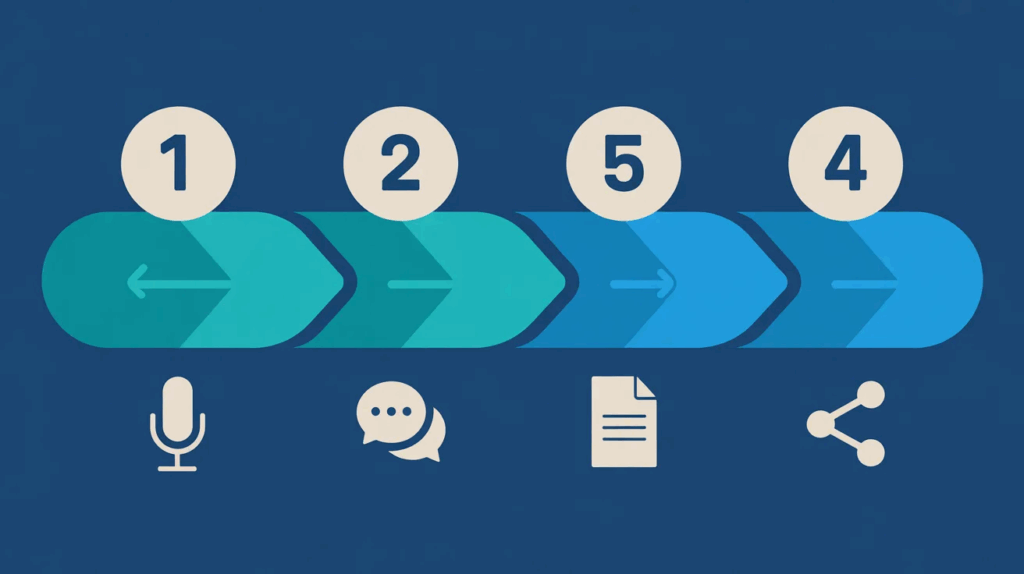
Here’s a simple workflow that works:
Step 1: Record or transcribe the meeting using one of the tools above.
Step 2: Feed the transcript to an AI tool (ChatGPT, Notion AI, or Claude) with a prompt like:
“Here is the transcript of a 60-minute project meeting. Please extract: (1) key decisions made, (2) action items with owners and deadlines, (3) open questions that need follow-up. Format as meeting minutes.”
Step 3: Edit for accuracy. AI-generated minutes are a starting point, not a final product. Always review before distributing — especially for any commitments, figures, or deadlines mentioned.
Step 4: Share and store. Most tools let you export to Word, PDF, or Notion. For compliance-sensitive meetings, keep a copy of the original transcript alongside the summarised minutes.
This workflow typically cuts minute-writing time from 30–45 minutes down to under 10. For busy professionals managing multiple meetings a week, that’s a meaningful reclaim of time.
What to Watch Out For With AI Meeting Transcription
A few honest cautions before you rely on these tools entirely:
Accuracy isn’t 100%. Strong accents, crosstalk, or poor audio quality will produce errors. Always proof the output before sharing.
Speaker identification can be off. In large group meetings, AI tools sometimes misattribute who said what. If attribution matters (it often does), double-check.
Privacy considerations. If your meetings include sensitive commercial or HR information, check where the recording is stored and whether the provider’s terms allow them to use data for model training. Singapore’s Personal Data Protection Act (PDPA) applies to any data collected during meetings — including recordings — so make sure participants are informed that a recording is taking place.
Not everyone will appreciate being recorded. Some team members or clients will be uncomfortable. Make it standard practice to announce at the start of a meeting that it’s being transcribed.
Minutes of Meeting Format: What Good AI Output Should Include
If you’re using AI to generate your meeting minutes, here’s what the output should cover at minimum:
- Date, time, and attendees
- Meeting objective or agenda
- Key decisions made (with context)
- Action items (task → owner → deadline)
- Next steps or follow-up items
- Date and time of next meeting (if scheduled)
Most AI tools will generate this automatically if you prompt them correctly. If the tool doesn’t include all of these by default, you can add a simple template to your prompt to get consistent output every time.
SkillsFuture-Claimable Training for AI Productivity in Singapore
If you’re looking to build AI skills more systematically — not just pick up tools one by one — QD Academy’s AI-Powered Productivity – Strategies for the Modern Workplace course covers the full workflow: from AI transcription and summarisation through to automating repetitive tasks across your day.
The course is SkillsFuture-claimable, with subsidies of up to 90% for eligible Singaporeans and PRs. UTAP funding is also available for NTUC members. Group and corporate training options are available for teams of 12 or more.
Don’t miss out on our 17th April session.
Check all available courses here → WhatsApp us at +65 8847 8417 for corporate enquiries.
Frequently Asked Questions
What is the best free AI meeting transcription tool for Singapore?
For individuals and small teams, Fathom (free for Zoom) and tl;dv (free for Zoom and Google Meet) are the strongest free options in 2026. For transcribing audio files without a live meeting, Whisper by OpenAI is highly accurate and free if you’re comfortable with a technical setup.
Can AI tools transcribe meetings in Mandarin or Singlish?
Some tools handle Mandarin reasonably well — Whisper in particular has strong multilingual support. Singlish and heavy code-switching remain challenging for most tools. Expect more errors in these contexts and plan for more thorough review.
How do I take better meeting minutes without a tool?
If you’re not ready for AI tools, the fastest manual method is a structured template: pre-fill the agenda and attendee list before the meeting, then capture decisions and action items in real time using a fixed format. Avoid writing full sentences — bullet points with owner names and deadlines are enough. Expand to full minutes immediately after, while memory is fresh.
Is AI meeting transcription allowed under Singapore’s PDPA?
You can record meetings, but you are required to inform participants that recording is taking place. For client-facing meetings or any session involving personal data, review your obligations under the PDPA and your organisation’s data governance policy. Most enterprise AI transcription tools offer data residency and retention controls — check these before deploying across your team.
What is the difference between meeting notes and minutes of meeting?
Meeting notes are informal — a running capture of what’s being said, often taken by one person for their own reference. Minutes of meeting are a formal record: structured, distributed to all attendees, and usually reviewed or approved. AI tools can produce either, depending on how you prompt them.