
Last updated: 30 October 2026
Automate the repeatable, time-sensitive steps in your customer journey, such as the first reply to a new lead, and keep people on the moments that need judgement. A simple test: if a step happens often, a late answer costs you leads and the right answer is mostly the same each time, automate it.
This guide shows what to automate at each stage, where a chatbot should stop and a person should take over, and the real set-up we use at QD Academy in GoHighLevel.
Which steps in a journey are worth automating first?
Score each step on how often it happens, what a late reply costs you and how similar the right answer is each time. Start with the step that scores highest. For most businesses that is the first reply to a new enquiry, because every lead passes through it and the wait is easy to see.
What can you automate at each stage?
| Stage | Trigger | Automated action | Where a person takes over | Metric to watch |
|---|---|---|---|---|
| Awareness | Someone clicks an ad or visits a page | A landing page with a registration form that records the source | Choosing the promise and the offer | Cost per lead and form completion |
| Consideration | A lead submits a form | An instant WhatsApp and email follow-up that thanks them, answers the common fee and date questions and offers a way to book | The lead asks something specific | Time to first reply and reply rate |
| Decision | A lead asks for a quotation, or goes quiet after one | A quotation template and a reminder after a set number of days | Negotiation and funding exceptions | Enquiry-to-enrolment rate |
| Retention | Someone enrols | Confirmation, joining instructions and reminders before the course | A learner with a problem | Attendance and no-show rate |
| Advocacy | The course ends | A check-in message with a request for feedback or a referral | Responding to a complaint | Feedback rate and referrals |
How does QD Academy automate follow-up?
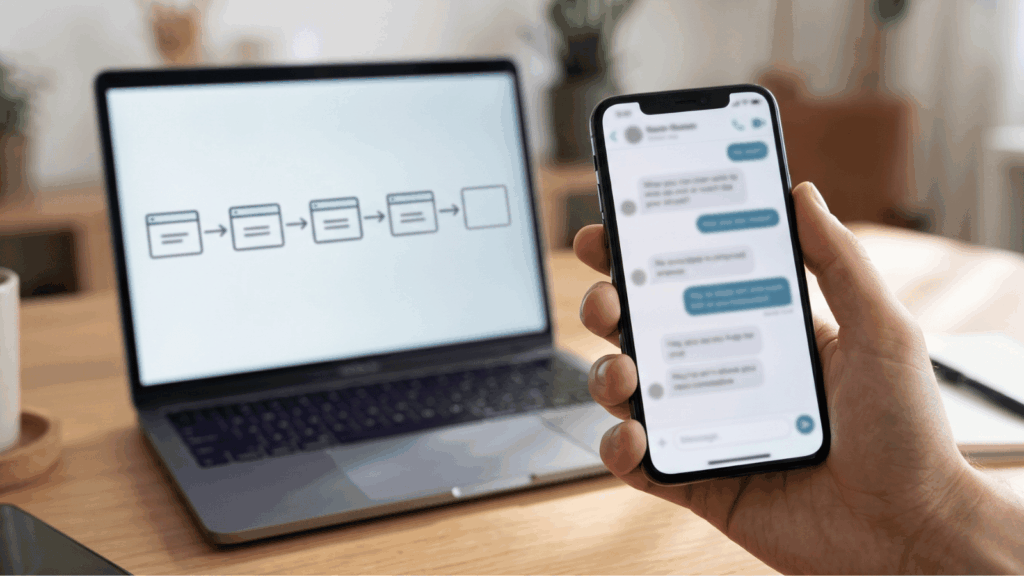
We use GoHighLevel, and we run three flows.
- Landing page registration: when someone registers through the form on one of our course landing pages, an automated follow-up WhatsApp message goes out.
- Conference interest form: people who complete our interest form at an offline conference event get an automated follow-up email and WhatsApp message.
- Human takeover: when one of us enters the chat, the bot is put to sleep automatically, so a person and the bot never talk over each other and the conversation continues with a human.
The reason we built it was a drop-off. Leads from our ads were converting poorly, and the cause was manual follow-up: leads waited a long time for a reply and many dropped off before we spoke to them. After we set up an automated answer workflow, the response rate went up by 50% and the enrolment rate rose as well.
The set-up is simple on purpose. It does one job, which is to answer sooner, and it hands over as soon as a person is needed. We found that drop-off by mapping the journey, as described in our guide to the student journey map.
Where should a chatbot stop and a person take over?
The bot should stop whenever the answer needs judgement. Make the handover automatic and visible, so the lead is never left wondering who is replying. Hand over when:
- The lead asks about a fee exception or funding eligibility for their own company.
- The lead makes a complaint.
- The lead asks to speak to a person.
- A company asks about a group booking.
- The bot cannot answer with confidence.
How do you measure whether it worked?
Pick one stage and measure before and after. Record the time from form submission to first reply, the share of leads who reply and the share who go on to enrol. Judge each month’s leads over the same window, such as 60 days from submission, so that a fresh month is not compared with an old one. At QD Academy we watched the response rate and the enrolment rate.
What do the PDPA and messaging rules mean for automation?
Automated messages still go to real people. Say on the form that you will follow up by WhatsApp and email, send only what the person would expect and make it easy to opt out. Marketing messages to Singapore phone numbers fall under the PDPA’s Do Not Call rules, so check the PDPC’s guidance before you send anything promotional. Our PDPA checklist for using AI on customer data covers what to check when AI tools touch customer data.
What mistakes should you avoid?
- Automating a weak message. Fix the wording first, then automate it.
- Letting the bot answer questions it cannot answer.
- Having no clear handover to a person.
- Sending too many messages to someone who has already replied.
- Skipping the before-and-after measurement.
Frequently asked questions
What should I automate in a customer journey first?
Start with the first reply to a new enquiry. It happens for every lead, a late reply costs you the most there and the first answer is usually similar each time.
Can I automate WhatsApp follow-up for my business?
Yes, with a tool that connects to WhatsApp. We use GoHighLevel. Check the platform’s terms for business messaging and your PDPA obligations before you start.
Will automation make my business feel impersonal?
Not if it hands over to a person quickly. Our bot goes quiet as soon as a team member joins the chat, so the lead is talking to a human from that point.
Do I need a CRM before I automate?
You need a place to record each lead, where it came from and what happened to it. A CRM is the usual choice, and some tools, including GoHighLevel, combine the CRM and the messaging.
How long does it take to set up?
It depends on how many forms and message flows you have. Start with one: the first reply to your main registration form.
Learn to map and automate customer journeys with AI
QD Academy’s 3-day course, Developing an Effective Customer Journey Map using AI and Automation, teaches marketers, sales and service teams to build persona-based journey maps from their own data and to set up AI follow-up workflows. Eligible Singapore learners can use SkillsFuture funding, and our team handles the grant paperwork. See grants and subsidies for eligibility, and check the course page for dates and fees.
You do not need a fancy set-up to start. Any general CRM that records where each lead came from and can send a WhatsApp or email follow-up is enough to try your first flow.