
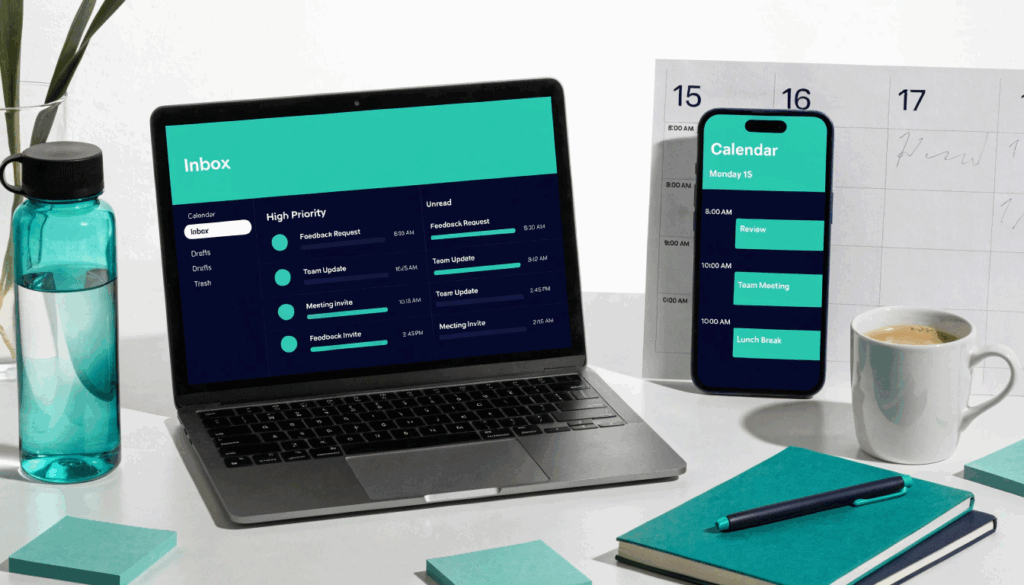
The average professional spends 28% of their workweek managing email. That’s roughly 11 hours. Not reading, writing, or deciding — just managing.
Add calendar chaos on top of that — the back-and-forth scheduling, the double-bookings, the “can we reschedule?” threads that eat another hour — and you’ve lost nearly two full days before you’ve done a single thing that actually matters.
This is the productivity problem that doesn’t get talked about enough. Everyone’s chasing workflow automation tools and fancy dashboards, but the real time drain is sitting in your inbox.
Here’s what AI can actually do about it — seven practical applications, ordered from easiest to implement to most powerful.
1. Smart Email Triage: Let AI Decide What Needs You
The first win is the simplest. AI tools embedded in Gmail and Outlook — or layered on top via apps like Superhuman or Shortwave — can sort your inbox before you ever open it.
They learn which senders actually need responses, which emails are FYIs, and which are just noise. Over time, you stop seeing newsletters buried under client messages. Priority contacts float to the top.
For Singapore professionals juggling stakeholders across time zones, this matters more than most. You wake up to an inbox that’s been sorted overnight. Your first 10 minutes aren’t triage — they’re action.
What to do: Start with Gmail’s built-in Priority Inbox (free) or try a dedicated tool like Shortwave. Spend one week teaching it by marking emails correctly. The time investment upfront pays back within a fortnight.
2. AI-Drafted Replies: From Blank Screen to Sent in 60 Seconds
Writer’s block on email is real. You know what you want to say. You just don’t want to type it.
Tools like ChatGPT, Gemini, or Microsoft Copilot in Outlook can draft replies from a one-line prompt. “Decline politely, offer next Tuesday instead” becomes a full, professional email in seconds.
This is applied AI at its most practical — not replacing your judgment, but eliminating the friction between knowing what to say and actually saying it. The average professional sends 40+ emails a day. If AI drafts 70% of those, you’re reclaiming 30–45 minutes daily.
The key skill isn’t prompting. It’s editing. You need to know what good looks like so you can fix what the AI gets wrong. That’s exactly why our participants in the AI-Powered Productivity course spend time on prompt refinement — not just using tools, but training themselves to use them well.
What to do: Next time you’re about to type a reply longer than two sentences, paste the email into ChatGPT first. Prompt: “Draft a professional reply that [your intention in one line].” Edit, send.
3. Automated Follow-Ups: Never Let a Lead Go Cold Again
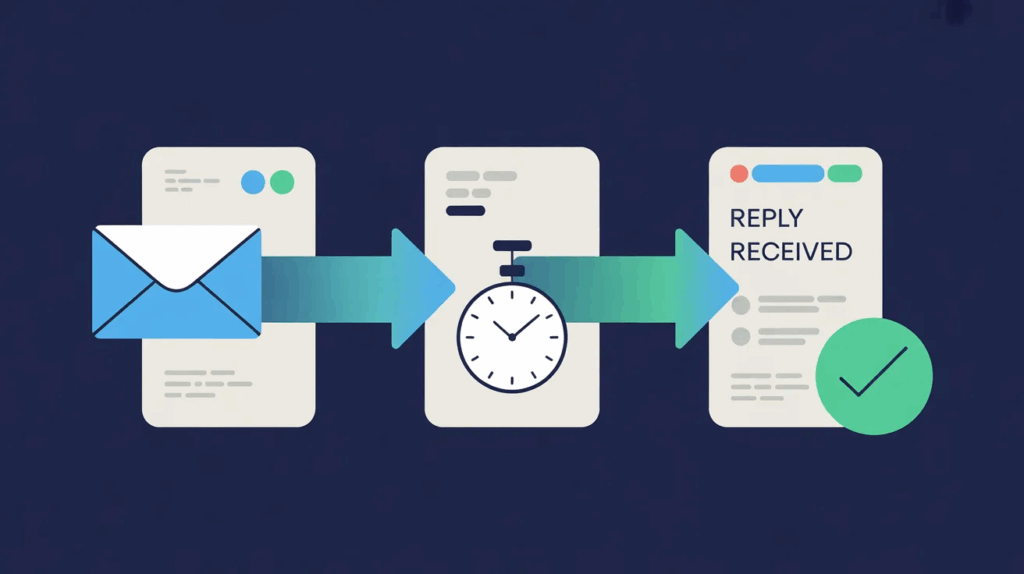
The follow-up is where most professionals leak the most opportunity. You have a great meeting. You mean to follow up. Three days pass. Then a week. Then it’s awkward.
AI-powered workflow automation tools like Zapier, Make, or built-in sequences in your CRM can trigger follow-up emails automatically — based on time elapsed, whether a reply was received, or actions taken on a proposal.
For sales teams, this is game-changing. For anyone managing client relationships, it’s table stakes in 2026. The email goes out whether or not you remembered. And it’s personalised enough that it doesn’t feel like a blast.
LinkedIn research suggests that 80% of sales require five or more follow-ups, but 44% of salespeople give up after just one. Automated follow-ups close that gap without adding to your workload.
What to do: Map your most common follow-up scenarios (proposal sent, meeting booked, no reply after 3 days). Build one automation for each using Zapier’s free tier. Test with one scenario before scaling.
4. Meeting Scheduling Without the Back-and-Forth
“Does Tuesday at 3pm work?” “I have a conflict — how about Wednesday?” “Wednesday works, morning or afternoon?” This exchange, repeated 10 times a week, wastes roughly 20 minutes per scheduling thread.
AI scheduling assistants like Calendly, Cal.com, or the newer Reclaim.ai share your real availability and let the other person pick a slot. Done.
Reclaim.ai goes further — it protects time blocks for deep work, automatically rescheduling lower-priority tasks when something urgent comes in. It’s less a scheduling tool and more a workflow software layer over your calendar.
For Singapore professionals running multiple projects across teams, having your calendar managed with intelligent defaults instead of manual decisions is one of the highest-leverage changes you can make.
What to do: Set up a Calendly free account today. Add your availability, connect your Google or Outlook calendar, and use the scheduling link in your email signature for all external meetings this week. Count how many back-and-forth threads you avoid.
5. AI Meeting Summaries: Stop Wasting Time on Minutes of Meeting
If you’ve sat through a meeting and then spent 45 minutes writing up notes afterwards — or worse, waited three days for someone else to circulate half-remembered action items — you already feel this one.
AI transcription and summarisation tools like Otter.ai, Fireflies.ai, or Notion AI join your Zoom or Teams calls, transcribe everything, and generate a structured summary: decisions made, action items, who said what.
The summary lands in your inbox before the next meeting starts.
This is one of the fastest-growing applied artificial intelligence use cases in Singapore’s professional sector — and for good reason. The minutes of meeting format that used to take an hour to produce now takes two minutes to review and approve.
We covered this in depth in our guide to AI meeting notes and transcription tools, but the short version is this: if your team is still manually writing meeting notes in 2026, you’re burning time you can’t afford.
What to do: Sign up for Otter.ai’s free plan. Run it on your next three meetings. Compare the auto-summary against what you’d normally write. You’ll never go back.
6. Calendar Blocking for Deep Work — Automatically
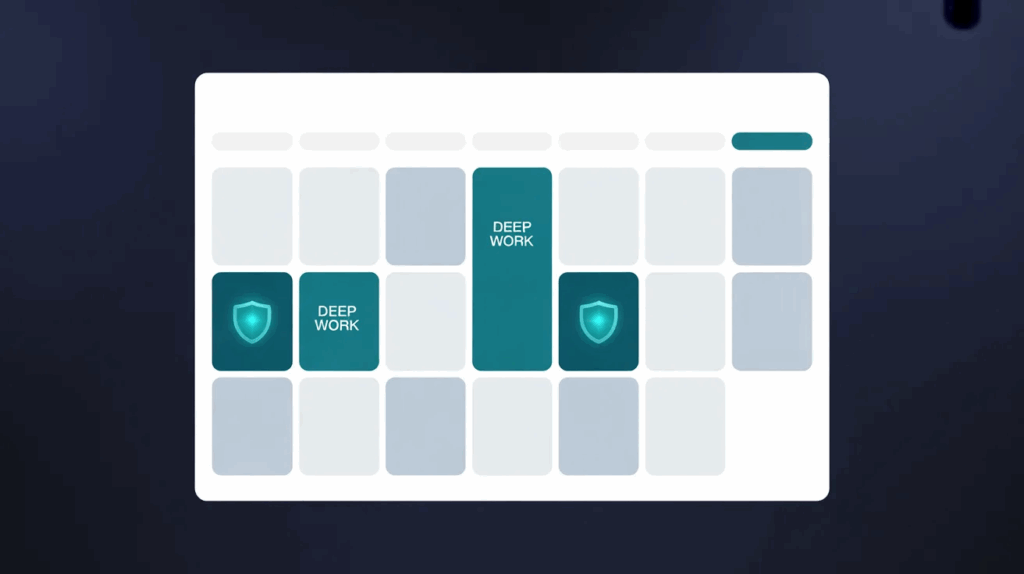
Most professionals’ calendars are reactive. Meetings fill in, and whatever’s left is “work time.” But research from Cal Newport’s Deep Work and subsequent studies consistently shows that uninterrupted blocks of 90 minutes or more are where real output happens.
AI tools can protect that time for you. Reclaim.ai analyses your workload, meeting patterns, and task list, then automatically schedules deep work blocks — and defends them by declining or rescheduling lower-priority requests.
This isn’t about working more. It’s about using the hours you have better. For SME founders and team leads in Singapore who feel like they’re always busy but never productive, calendar intelligence is often the missing layer.
What to do: Audit your last week’s calendar. How many blocks of 90+ uninterrupted minutes did you actually have? If fewer than three, that’s your starting point. Use Reclaim.ai’s free tier to schedule deep work blocks for next week and see what changes.
7. AI-Powered Email Analytics: Know What’s Working
This one surprises people. Most professionals have no idea which of their emails actually get opened, which links get clicked, or whether their follow-up timing is optimised.
Tools like Mailtrack (for individual senders) or your CRM’s built-in analytics give you visibility. But AI layers go further — tools like HubSpot’s Sales Hub or Yesware analyse patterns across your sent emails and tell you the best times to send, which subject lines perform, and where deals are stalling.
This is where workflow automation and AI skills start to compound. You’re not just automating tasks — you’re generating data that makes future decisions better. Over months, this produces a measurable lift in response rates and close rates.
For sales managers and SME owners in Singapore, this is the difference between hoping email works and knowing it does.
What to do: Enable read receipts on your next 20 outbound emails using Mailtrack (free). Note open times. Adjust your follow-up timing accordingly. Start with data, then layer in automation.
Putting It Together: A Week in the Life
Here’s what a typical professional day looks like after implementing even three of these:
Morning: AI triage has surfaced your six priority emails. You spend 15 minutes reviewing and approving AI-drafted replies for five of them. One needs proper thought — that’s where your brain goes.
Midday: A meeting runs. Otter.ai captures it. You leave without writing a single note, knowing the summary will be in your inbox in ten minutes.
Afternoon: Three follow-ups went out automatically while you were in meetings. A new prospect picked a slot from your Calendly link without a single scheduling email exchanged.
End of day: You’ve reclaimed 90 minutes. Not from working less — from eliminating friction.
This is what applied AI looks like in practice. Not robots replacing your job. Just you, doing the same job, in far less time.
Which Tools Should You Actually Start With?
| Use Case | Free Tier | Paid Upgrade Worth It? |
| Email triage | Gmail Priority Inbox | Superhuman ($30/mo) if volume is high |
| Draft replies | ChatGPT free | GPT-4o ($20/mo) for complex writing |
| Scheduling | Calendly free | Calendly Standard if team-wide |
| Meeting notes | Otter.ai free | Otter Business for longer calls |
| Follow-ups | Zapier free (5 zaps) | Make.com for complex workflows |
| Deep work blocks | Reclaim.ai free | Reclaim Teams for shared calendars |
| Email analytics | Mailtrack free | HubSpot Sales Starter if CRM-linked |
Start with Calendly and Otter.ai. They’re the fastest wins for most people. Add the rest one at a time.
The Real Skill Isn’t the Tool
Here’s something most tool guides skip: AI tools for email and calendar management don’t work at full capacity out of the box. They need configuration. They need prompts. They need someone who understands how to direct them.
The professionals getting the biggest results from workflow automation tools aren’t the ones who downloaded the most apps. They’re the ones who spent time understanding how to work with AI — what to delegate, what to verify, and what still needs human judgment.
That’s the gap our AI-Powered Productivity – Strategies for the Modern Workplace course is designed to close. In one focused day, participants leave with a working AI productivity stack tailored to their specific role — not generic advice, but an actual system they’ve built and tested with guidance.
The next run is on 26 May. Seats are limited, and registrations close soon. If today’s article made you realise how much time you’re losing to inbox and calendar chaos — this is where you turn that realisation into results.
👉 Register for the AI-Powered Productivity course here — SkillsFuture subsidies of up to 90% available for eligible Singaporeans and PRs.
Have questions? WhatsApp us at +65 8986 6799.
Frequently Asked Questions
What AI tools are best for email management in Singapore?
For most Singapore professionals, the best starting stack is Gmail’s Priority Inbox (free) for triage, ChatGPT or Microsoft Copilot for drafting replies, and Calendly for scheduling. These three tools alone can save 1–2 hours per day with minimal setup.
Is AI email management safe? What about data privacy?
This is a fair question. Most major AI email tools (Superhuman, Otter.ai, Calendly) operate under GDPR-aligned privacy policies and offer enterprise options with stricter data handling. For sensitive corporate communications, check your organisation’s data governance policies before connecting third-party tools to your work email.
Do I need technical skills to use AI for calendar management?
No. Tools like Calendly, Otter.ai, and Reclaim.ai are designed for non-technical users. You sign up, connect your Google or Outlook calendar, and they work. The harder skill is deciding how to use them strategically — which is what structured training addresses.
How does workflow automation for email differ from just using filters?
Email filters are rules you manually set. Workflow automation tools powered by AI learn from behaviour, adapt over time, and can trigger actions across multiple apps — not just sorting emails but creating tasks, updating CRMs, or sending follow-ups in response to what happens in your inbox. The scope is fundamentally different.
Can SkillsFuture be used for AI productivity courses in Singapore?
Yes. SkillsFuture subsidies cover eligible AI and digital productivity courses for Singaporean citizens and PRs. Subsidies of up to 90% are available for qualifying participants, and UTAP funding may stack on top for union members. Check with your training provider for specific eligibility.