
If you’re spending your mornings catching up on emails, your afternoons in back-to-back meetings, and your evenings actually doing the work — you’re not alone.
The Singapore job market is one of the most demanding in Asia. Professionals here consistently report working beyond official hours, with administrative tasks eating into deep work time. The problem isn’t discipline or effort. It’s the tools — or rather, the lack of the right ones.
AI productivity tools can change this. Not in a vague, “AI will transform everything” way — in a specific, Tuesday-morning, clears-your-inbox kind of way. The professionals and SME teams we work with at QD Academy regularly recover two or more hours per day after implementing the tools below.
Here’s what’s actually working in Singapore workplaces in 2026.
Why AI Productivity Tools Matter More in Singapore Right Now
Singapore’s Budget 2026 AI initiatives put AI squarely on the national agenda — including six months of free access to premium AI tools for eligible professionals who complete selected SkillsFuture AI courses. The government isn’t nudging people toward AI. It’s funding the transition.
That matters because the Singapore job market is shifting fast. AI jobs in Singapore are growing across sectors — not just in tech. Finance, healthcare, logistics, hospitality, sales: every team now has access to tools that automate the tedious and amplify the strategic.
The professionals who adapt aren’t working harder. They’re working differently.
The 5 AI Tools Singapore Professionals Are Using to Win Back Their Day
1. ChatGPT (or Claude) — Your Always-Available Thinking Partner
Most people use ChatGPT like a faster Google. That’s leaving most of the value on the table.
The real productivity unlock is using it as a thinking partner and first-draft machine. Here’s what that looks like at work:
- Paste a long email chain and ask it to summarise the key decision needed
- Drop in a client brief and ask for a list of questions you should be asking before the kick-off call
- Dump your messy notes from a meeting and have it draft the follow-up email
The workflow automation potential multiplies when you build consistent prompt templates for tasks you do weekly — weekly reports, client updates, proposal outlines. You stop writing from scratch. You start editing from a strong base.
Time saved: 45–90 minutes per day for most professionals, once they move past basic use.
Singapore angle: ChatGPT Plus and Claude Pro are among the premium AI tools included under Budget 2026’s free AI tools initiative for eligible course participants. If you’ve been hesitant to pay for the premium tier, this is the moment.
2. Otter.ai or Fireflies — Stop Taking Meeting Notes Forever

Here’s a number worth sitting with: the average Singapore office worker spends 6–7 hours per week in meetings. Writing notes during those meetings means you’re half-present. Writing them after means you’re spending another 30–60 minutes on a task that now has an AI solution.
AI meeting minutes tools like Otter.ai and Fireflies join your Zoom, Teams, or Google Meet call and produce:
- A full transcript
- A summary with key decisions
- Action items with attribution (who said they’d do what)
- A searchable record you can revisit months later
The quality has crossed a threshold in 2026 where the output requires only light editing. For Zoom users in Singapore, Zoom’s native AI companion now does this too — it’s built into plans you may already pay for.
Time saved: 30–45 minutes per meeting in note-taking and follow-up drafting.
Limitation worth noting: Transcription accuracy drops with heavy accents or fast speakers. For high-stakes meetings, review the output before distributing.
3. Notion AI (or Microsoft Copilot) — Turn Documents from Chaos to Clarity
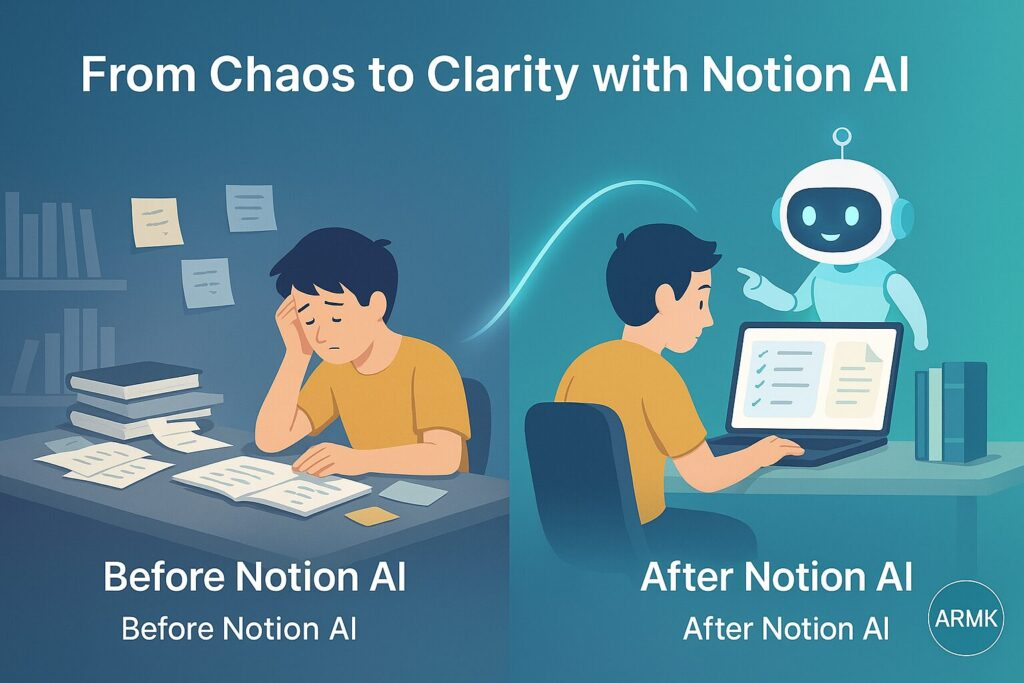
Most teams don’t have a knowledge management problem. They have a knowledge retrieval problem. Information exists — in Slack threads, email chains, shared drives — but finding it and synthesising it costs more time than it should.
Workflow automation tools like Notion AI sit inside your existing workspace and let you:
- Ask questions about documents (“What did we decide about the Q2 launch?”)
- Summarise long reports into a one-page brief
- Draft standard operating procedures from rough bullet points
- Translate documents into simpler language for client-facing use
For teams already on Microsoft 365, Copilot does this across Word, Excel, Outlook, and Teams. It’s one of the most practical applied AI tools for SME teams who don’t want to switch platforms — it works inside the tools you already use.
Time saved: Highly variable, but teams with complex documentation report 1–2 hours saved per person per week.
4. Zapier or Make — Automate the Repetitive Without Knowing Code
This one is underused by non-technical professionals, which is exactly why it’s worth highlighting.
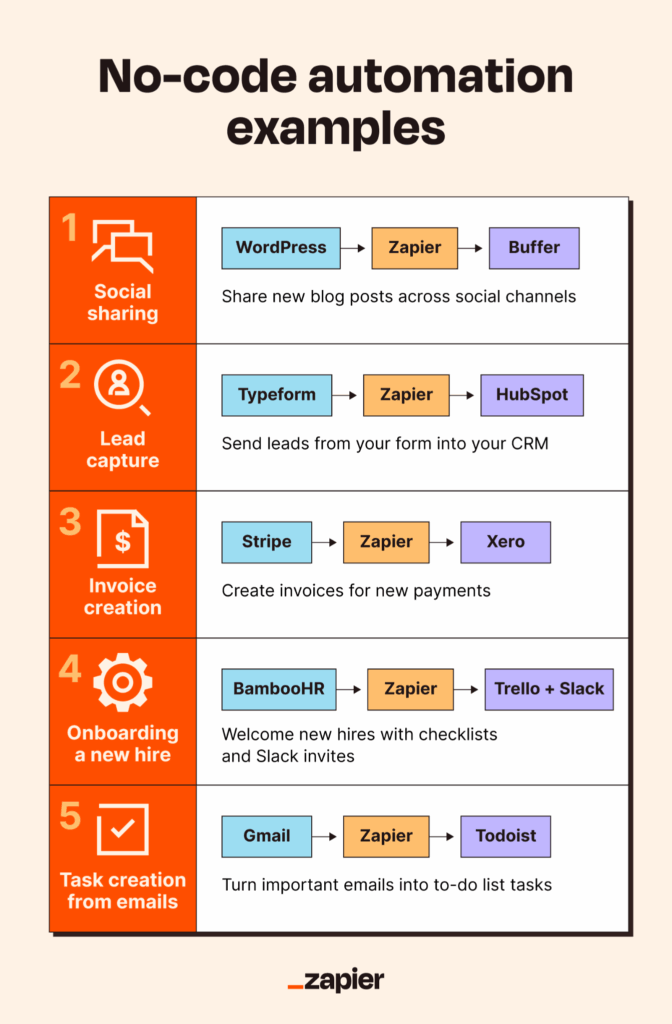
Workflow software like Zapier connects apps that don’t talk to each other and automates the manual steps in between. Real examples that QD Academy clients have implemented:
- When a lead fills in a contact form → automatically create a task in Asana, send a welcome email, and add them to a CRM
- When a new invoice is marked paid in Xero → update a Google Sheet and send a Slack notification to the team
- When someone books a Calendly meeting → add the contact details to a mailing list and queue a prep email
The workflow automation setup takes an afternoon the first time. After that, hours of manual admin disappear every week without you doing anything.
Time saved: Depends on process complexity. Some clients have automated 3–4 hours of weekly admin.
For Singapore SMEs: This is one of the highest-ROI AI tools available because it directly replaces repetitive human tasks — without replacing people. Staff redirect that time to client work and strategic thinking.
5. Grammarly Business (or DeepL Write) — Communicate Faster, With Less Second-Guessing
This one doesn’t get the press it deserves.
A significant chunk of professional time goes into staring at emails before sending them. Revising that proposal three times. Wondering if a message sounds too blunt or too vague.
Applied AI and analytics tools like Grammarly Business don’t just fix grammar. The current generation rewrites sentences for clarity, adjusts tone for context (more formal, less formal, more direct), and flags where your message might land wrong.
For Singapore professionals who communicate across cultures — English to Chinese-speaking clients, formal government correspondence, casual internal Slack — the tone-adjustment features alone are worth the subscription.
DeepL Write is particularly strong for Mandarin-English transitions and for professionals who work across Southeast Asian markets.
Time saved: 15–30 minutes per day for professionals who write a lot. The compounding effect over a week is significant.
How to Actually Start (Instead of Just Reading About It)
Most people who read articles like this don’t change anything. They find it interesting, close the tab, and continue the way they’ve always worked.
Here’s a different approach: pick one tool from this list, implement it this week, and measure the time difference.
Don’t try all five at once. That’s a fast way to feel overwhelmed and abandon everything. One tool, implemented properly, will do more for your productivity than five tools installed and ignored.
If you want a structured path — with live coaching, hands-on practice, and a framework for building these tools into your actual workflow — QD Academy’s AI-Powered Productivity course runs this Thursday, 17 April. It’s a one-day programme designed specifically for Singapore professionals and SME teams. SkillsFuture funding applies for eligible participants.
What About AI and Job Security?
This comes up every time. Worth addressing directly.
The concern is real, but the data points in a more nuanced direction. The Singapore AI strategy has consistently framed AI as a tool to augment workers, not replace them — and the evidence from sectors that have adopted AI tools early supports this.
What tends to happen: roles change. Tasks that were previously human-only get automated. That creates time and headspace for higher-value work — relationship management, strategic thinking, creative problem-solving. The professionals who adopt AI tools early become more valuable because they can do more, faster, with less support.
The risk isn’t AI. It’s being the last person in your team to learn how to use it.
Frequently Asked Questions
What are the best AI tools for productivity in Singapore workplaces?
The most practical AI productivity tools for Singapore professionals in 2026 are: ChatGPT or Claude for writing and thinking assistance, Otter.ai or Fireflies for automatic meeting notes, Notion AI or Microsoft Copilot for document management, Zapier or Make for workflow automation, and Grammarly Business or DeepL Write for communication. Each addresses a different time drain in the typical workday.
Are AI productivity tools free to use in Singapore?
Many tools offer free tiers with meaningful functionality. ChatGPT’s free plan, Otter.ai’s free tier, and Zapier’s starter plan are all usable without payment. However, the premium versions unlock significantly more capability. Under Budget 2026, eligible Singapore professionals who complete selected SkillsFuture AI courses receive up to six months of free access to premium AI tools — making this one of the best times to upgrade.
How do I use SkillsFuture funding for AI training?
Singaporean citizens aged 25 and above can access SkillsFuture Credit to offset the cost of approved training courses, including AI productivity programmes. Mid-career professionals (40 and above) may qualify for the Mid-Career Enhanced Subsidy, which covers up to 90% of course fees. Log in at MySkillsFuture using your Singpass to check your credit balance and find approved courses.
Will AI tools replace jobs in Singapore?
Singapore’s national AI strategy focuses on AI as an augmentation tool rather than a replacement. Most AI productivity tools automate repetitive tasks, freeing professionals to focus on higher-value work. Sectors experiencing the most AI adoption — finance, logistics, healthcare, sales — are simultaneously reporting growth in demand for professionals with both technical knowledge and strong communication skills. The ability to work effectively with AI tools is increasingly treated as a baseline professional skill.
What AI course should I take to improve workplace productivity?
For Singapore professionals looking for a practical, one-day introduction, QD Academy’s AI-Powered Productivity course covers the tools above in a hands-on format. It’s SkillsFuture-eligible and designed for professionals with no technical background. For deeper learning, MySkillsFuture lists approved AI courses across multiple providers, including SSG-funded options.
What is workflow automation and how does it help at work?
Workflow automation is the process of connecting apps and automating repetitive tasks between them — without manual intervention. Tools like Zapier and Make let you build automated sequences (called “zaps” or “scenarios”) that trigger actions across multiple platforms. For example: a new form submission automatically creates a calendar invite, adds the contact to a CRM, and sends a confirmation email. Once set up, these run in the background indefinitely. For Singapore SMEs with lean teams, workflow automation is often the fastest way to reduce operational overhead without hiring.
These 5 AI tools are saving Singapore professionals 2+ hours every day. Which ones are you using? 👇
Most people think AI is complicated. Or only for tech people. Or something to figure out later.
Meanwhile, others are already using these to work faster — with less effort:
✦ ChatGPT / Claude — first drafts in minutes, not hours
✦ Otter.ai / Fireflies — automatic meeting notes, zero effort
✦ Notion AI / Copilot — find answers inside your own documents instantly
✦ Zapier / Make — automate repetitive tasks so they run themselves
✦ Grammarly Business / DeepL Write — communicate faster, with less second-guessing
The gap between those who use these tools and those who don’t is growing fast.
💾 Save this for the next time someone says AI is too complicated 💬 Drop a 🙋 below if you’re already using any of these
#AIProductivity #SkillsFuture #SingaporeWorkplace #AITools #WorkflowAutomation #FutureOfWork #AISkills #SingaporeCareer #Budget2026 #DigitalTransformation #ProfessionalDevelopment #SGProfessionals #QDAcademy #LearnAI #SingaporeSME